


Discover Mobile
4.8108.86K Reviews
App Specs
- Version
- 2616.0
- Updated On
- License
- Free
- Downloads
- 10,000,000+
- Developer
- Discover Financial Services
- Categories
- Finance
- Platform
- Android, iOS
Screenshots

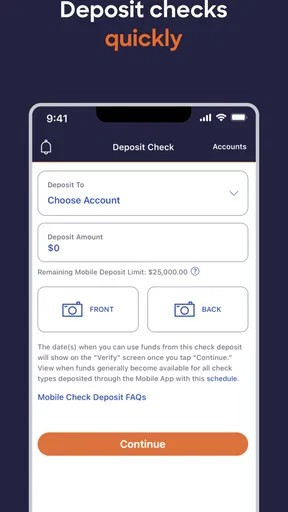

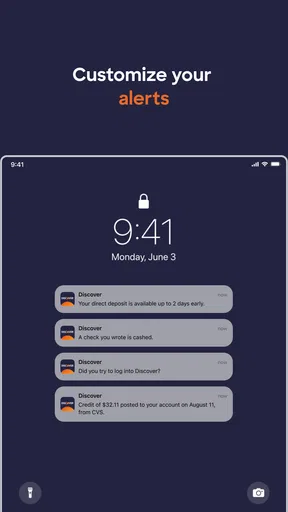
 Analysis by AppCompare
When I judge a finance app, I care less about a flashy first screen than about whether I can get to a useful account detail quickly, especially when I’m away from home. That is the practical lens I bring to Discover Mobile: it is a free finance app from Discover Financial Services, built for people who already manage a Discover account and want a phone-based way to keep up with it. Its long presence in app stores and broad audience suggest that it has become a familiar option for many customers, but the important question for me is whether it fits the way you handle money day to day.
Quick checks are where speed matters
For a finance app, “fast” should mean that a simple task does not turn into a hunt through menus. Checking an account before making a purchase, reviewing a recent transaction, or looking for a bill-payment option are the kinds of moments when a direct route matters. The existing interface is described as easy to navigate, and the app’s purpose is focused on managing a Discover account rather than serving as a general-purpose money hub. That narrower scope can make the experience feel more straightforward than an app that tries to combine accounts from several institutions.
I would still separate a tidy layout from a guaranteed instant response. How quickly any account screen loads can depend on the device and connection, so I would not count on a banking app as the only way to check something urgent. If you are about to make a time-sensitive payment, give yourself room to confirm the details rather than tapping through at the last second. That is sensible with any financial service, not a special flaw in this one.
Busy account moments need a little care
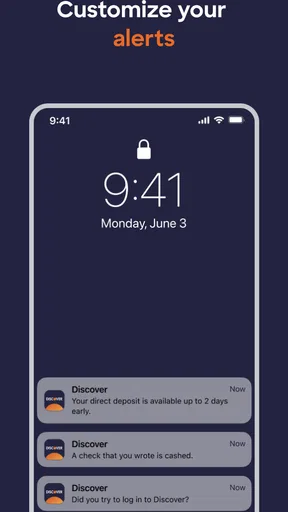
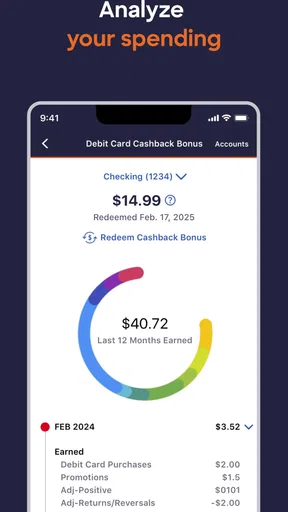
The app’s useful moments are not limited to a quiet balance check. A realistic example is reviewing your account after a busy weekend, then looking at the spending tracker to see how purchases are grouped before deciding what to adjust for the next few days. Alerts can help bring activity to your attention, while a separate review of the account gives you a chance to put each notification in context. I find that pairing a quick alert with a deliberate check is more useful than treating a notification as a complete financial summary.
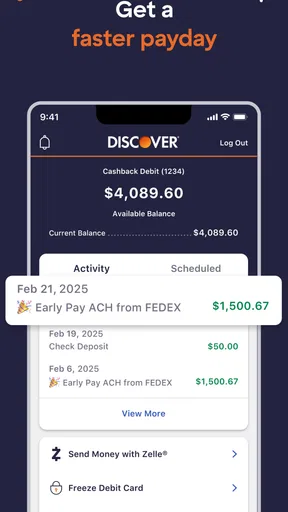
Bill payment is another task where convenience has a trade-off. Setting up a recurring routine can reduce the number of small chores you have to remember, but it is still worth checking the payment details and your available funds rather than assuming that automation removes the need to review your account. I would use the app to make routine management easier, not as permission to stop paying attention. If you prefer to approve every payment manually, the app can still be useful for account checks, but a scheduled setup may not match your habits.
Reliability is about the whole routine
A finance app earns trust through predictable access and clear account information, not simply through a smooth first launch. Discover Mobile is aimed at existing Discover customers, so its strongest role is as a companion for managing that relationship. Its average rating of 4.8 across around 457,000 ratings indicates that many users have responded positively, though an aggregate score cannot tell you whether the particular tools you need will suit your routine.
For peace of mind, I would keep more than one way to reach important account information. If the phone is unavailable, the connection is poor, or you need to complete a task in a different setting, relying on a single app can become inconvenient. That is a general planning habit for financial matters rather than a claim that this app is unstable. On a normal day, the main value is being able to check in without waiting until you are at a computer.
Worth Reading Before You Choose

EA SPORTS FC Mobile 26 Is a Bigger Football Game, but It Takes Time

Flipboard Shows What News Apps Must Do Beyond the Feed

Switching to Android Auto Means Rethinking Your Driving Routine

Google Calendar Makes a Crowded Week Easier to Manage

Ludo King Makes the Most of the Minutes Between Plans

Baby Panda World Brings Quick Play to Modern Phones, but Its Game Library Feels Busy
Device fit and who should choose it
The current version is 2610.0 and requires iOS 11 or later. That gives owners of compatible Apple devices a clear starting point, but people using older software should check their device compatibility before making this their main account-management route. The app is free and rated for Everyone, and it has more than 10 million installs, making it a widely used choice. Those facts help set expectations about availability and audience, but they do not mean every phone or every customer will have the same experience.
I see it as a good fit if you already have a Discover account and want a direct mobile companion for checking activity, handling bills, and keeping an eye on spending. It is less compelling if you want a single dashboard that brings accounts from many banks together, or if your main goal is detailed household budgeting across multiple providers. A general budgeting app or the apps from your other financial institutions may be a better match for those needs. The key trade-off is focus: a dedicated Discover tool can be convenient for that account, while a multi-bank alternative may give you a broader picture.
Ever stumbled upon an app that feels like finding a hidden gem? That's exactly how I felt when I first launched Discover Mobile. This app isn’t just another tool on your phone; it’s like having a personal assistant that keeps your finances in check without breaking a sweat.
What’s the Buzz About?
So, what makes Discover Mobile so special? Let’s dive in. At its core, this app is designed to give you a seamless banking experience. Whether you're checking your balance, paying bills, or tracking your spending, it’s all about making your financial life easier. And who doesn't want that?
Easy Navigation
First things first, let’s talk about navigation. The interface is clean and user-friendly. I’ve been around the block with banking apps, and trust me, some of them can be a real headache. But with Discover Mobile, everything is right where you expect it to be. It’s like they’ve read my mind and laid out the options perfectly. No more frantic tapping trying to find the right button!
Features That Stand Out
Now, onto the features. One of the things I love is the real-time alerts. Forget about waiting for a monthly statement to see what you’ve spent. With instant notifications, you’re always in the loop. It’s like having a friend who keeps an eye out for you. Plus, the app’s bill payment system is slick. Set it up once, and you’re good to go. No more late fees, no more stress.
There’s also a nifty spending tracker that breaks down your expenses into categories. Seeing where your money goes at a glance? Priceless. And for those of us who love rewards, the app doesn’t disappoint. Tracking your rewards points and redeeming them is a breeze.
Security You Can Trust
Alright, let’s talk security. We all know how important it is to keep our financial information safe. Discover Mobile uses top-notch security measures, including multi-factor authentication and encryption. You can breathe easy knowing your data is locked down tighter than Fort Knox.
Why You’ll Love It
So, why should you hit that download button? For starters, the convenience. Everything you need is in the palm of your hand. Whether you’re on a quick coffee run or lounging at home, managing your finances has never been easier. The app’s intuitive design and comprehensive features make it a must-have for anyone looking to streamline their banking experience.
Plus, the app is constantly updated with new features and improvements. It’s clear they’re listening to user feedback, and that’s always a good sign.
Final Thoughts
In a world where managing finances can feel overwhelming, Discover Mobile is like a breath of fresh air. It’s reliable, easy to use, and packed with everything you need to stay on top of your game. Whether you’re a tech-savvy millennial or someone who just wants a hassle-free banking experience, this app has got you covered.
So, what are you waiting for? Dive into the world of Discover Mobile and see how it can transform your financial life. Trust me, once you try it, you won’t look back.
Pros
- Intuitive user interface
- easy to navigate.
- Fast loading times with minimal lag.
- Comprehensive feature set for diverse needs.
- Customizable settings for personalization.
- Excellent customer support response time.
Cons
- Occasional crashes on older devices.
- Limited offline functionality.
- In-app ads can be intrusive.
- Requires frequent updates for new features.
- Some features locked behind paywall.
FAQs for Discover Mobile
What is Discover Mobile and what features does it offer?
Discover Mobile is a comprehensive app designed to enhance your financial management experience. It offers features such as real-time transaction alerts, seamless bill payments, account balance checks, and personalized spending insights. Users can also easily manage their credit card accounts, track their spending habits, and access customer support directly from the app.
Is Discover Mobile secure for managing my financial information?
Yes, Discover Mobile prioritizes your security and uses advanced encryption technologies to protect your financial information. It includes features like multi-factor authentication and biometric login options, such as fingerprint or facial recognition, ensuring that your data remains confidential and secure while accessing your accounts.
Does Discover Mobile support all types of transactions?
Discover Mobile supports a wide range of transactions, including credit card payments, bill payments, and transfers. However, some specific types of transactions may require additional verification or may not be supported, depending on your account type and the financial institution’s policies. It's advisable to check within the app or contact customer support for detailed information.
Can I customize notifications and alerts on Discover Mobile?
Yes, Discover Mobile allows you to customize notifications and alerts according to your preferences. You can set up alerts for payment due dates, transaction limits, suspicious activities, and more. This feature helps you stay updated on your account activity and manage your finances more effectively.
Is Discover Mobile compatible with all devices?
Discover Mobile is compatible with most Android and iOS devices. However, it requires a minimum operating system version, which might vary over time. To ensure optimal performance and access to the latest features, it's recommended to keep your device updated with the latest software version and check the app's compatibility requirements in the app store.


